
PDF logs and exports
PDF borehole logs
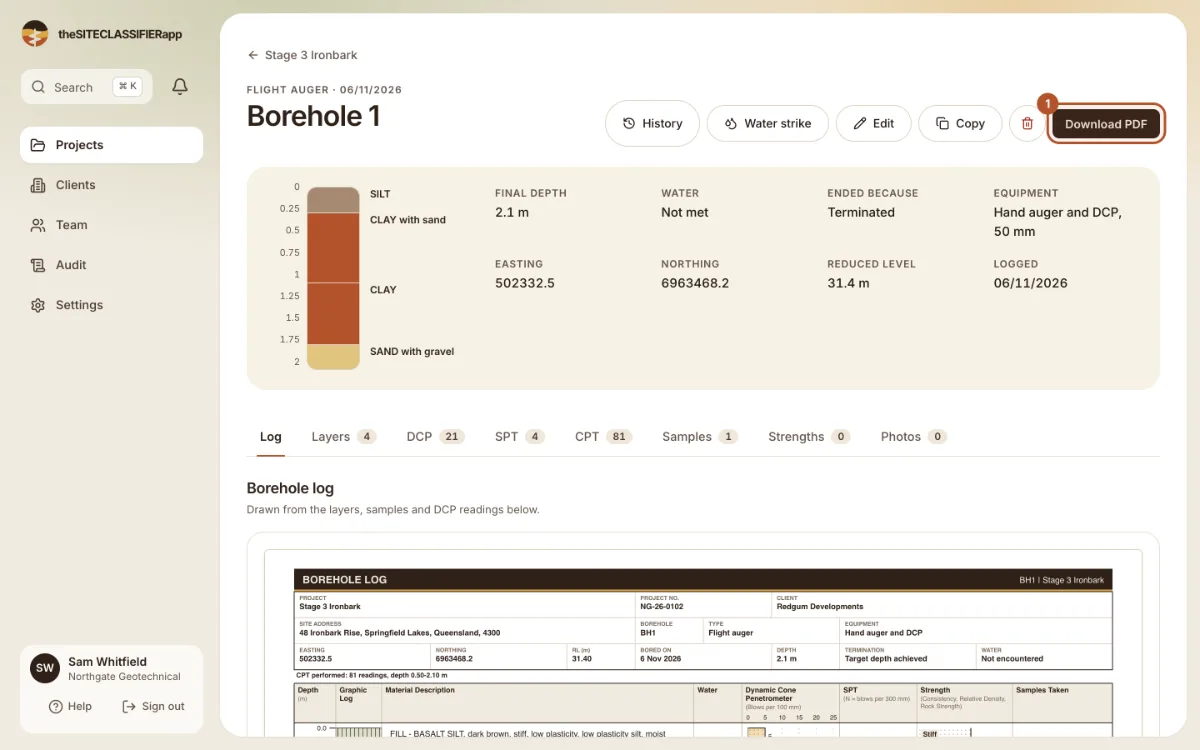
Download a PDF log of one borehole or the whole project. It carries your logo and, after sign-off, the sign-off stamp.
One borehole
Open the borehole and press Download PDF. The file name comes from the project and the borehole.
The whole project
Open Export on the project and choose Project PDF. The PDF starts with a summary page. Then each borehole follows on its own page, with a title block, the layers, the DCP bars, the samples and the water level.
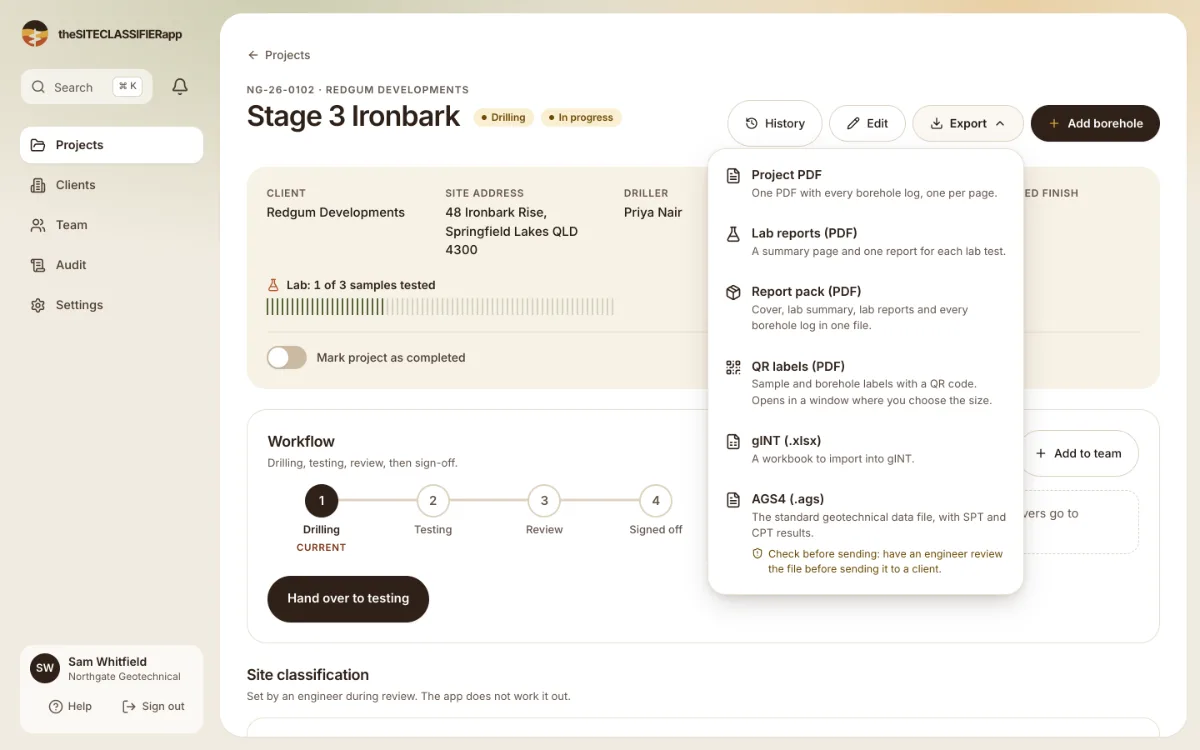
Your company logo prints at the top. After sign-off the PDFs show the sign-off stamp.
Long holes
The log is drawn from your data, in vector graphics, so the text stays sharp when you zoom. A deep hole continues on the next page, with the same scale on every page. A layer that crosses a page break is drawn on both pages with "(continued)".
What goes wrong
- The PDF could not be made. The screen shows the reason. Press Retry PDF download.
- A layer has no description. The log prints "No description recorded" for it.
- Layers overlap. The earlier layer keeps the overlap. The later one is trimmed.
- Gaps between layers. The log shows a blank band marked "Not logged".
- Layers deeper than the hole. The log trims them at the final depth.
Was this helpful?
Still stuck?
Tell us what happened. We will see which article you were reading.