
Team, roles and audit
The audit log
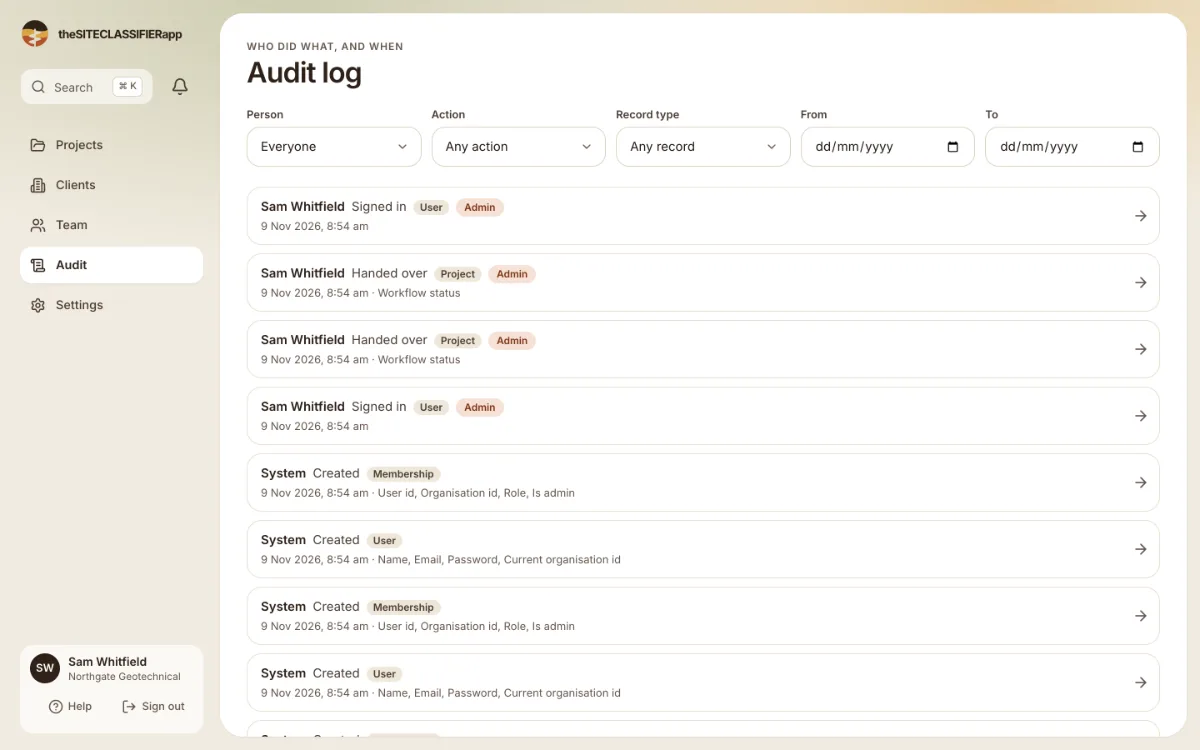
Admins can see who changed what, and when. Every change to the data of the company is recorded.
The audit log is for admins. Other roles do not see the Audit link. If they open the page, it says: "Your role cannot open this page. Ask an admin of your company if you need it."
Read it
Open Audit in the side menu. Each row is one change: what happened, to which record, and who did it. Press a row to open Audit entry. It shows the old value and the new value.
Filters
Use Action, Record type, Person, From and To. Press Clear filters to see everything. If nothing matches, the screen says "No audit entries match".
History of one record
A project, borehole or sample has a History button. It shows the changes to that record only.
What the log does not show
Some values, such as passwords, are never written. The log shows them as hidden.
Was this helpful?
Still stuck?
Tell us what happened. We will see which article you were reading.