
Team, roles and audit
Invite people and change roles
Admins invite people by email, give each a role, and can change roles later in Team.
Only an admin can invite people or change roles. Others see: "Only an admin can invite people or change roles."
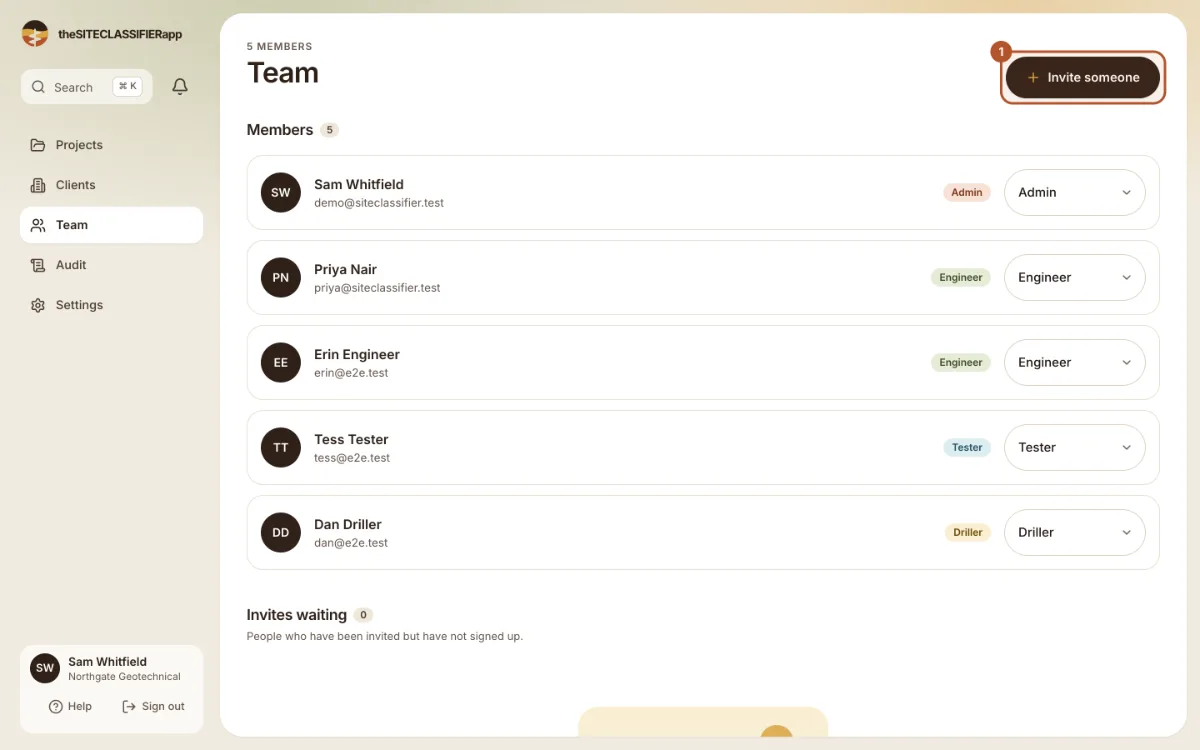
Invite someone
- Open Team and press Invite someone.
- Type the Email address.
- Choose the Role.
- Send the invite.
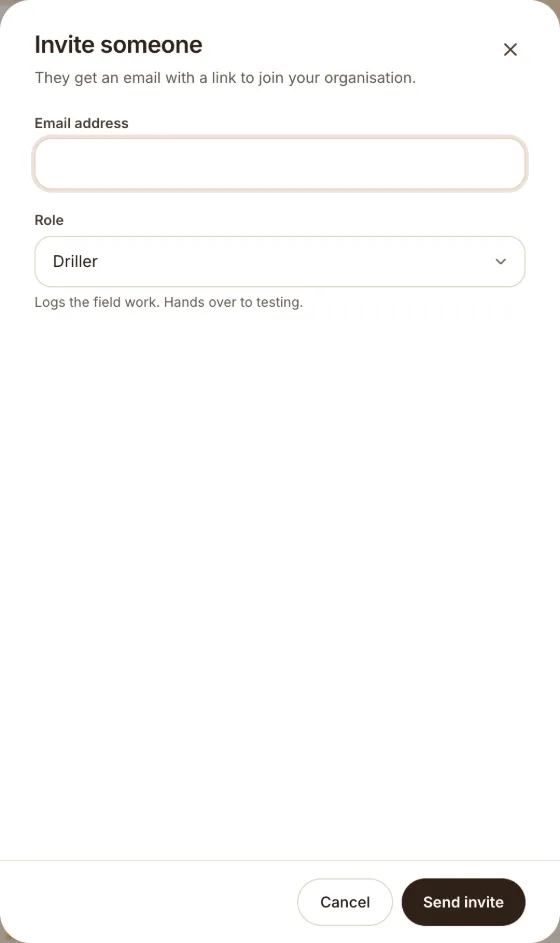
The person gets an email with a link to join your company. They choose their own password.
Rules for invites
- An invite works once, and only for the email you typed.
- Each email can have one waiting invite. If you try again, the app says: "This email already has a pending invite. Cancel it first to send a new one."
- To cancel, find the invite under Invites waiting and press cancel. The app asks "Cancel this invite?".
Change a role
In Members, use the Role control on the person's row. The app asks "Change role?" before it saves.
- You cannot change your own role.
- The last admin cannot be made a driller, tester or engineer. A company always keeps one admin.
Not built yet
You cannot remove a person from the company in the app yet. Contact support.
Was this helpful?
Still stuck?
Tell us what happened. We will see which article you were reading.