
Field and lab tests
SPT and CPT tests
Record a standard penetration test (SPT) by hand, and import cone penetration test (CPT) readings from a CSV file.
On this page
SPT
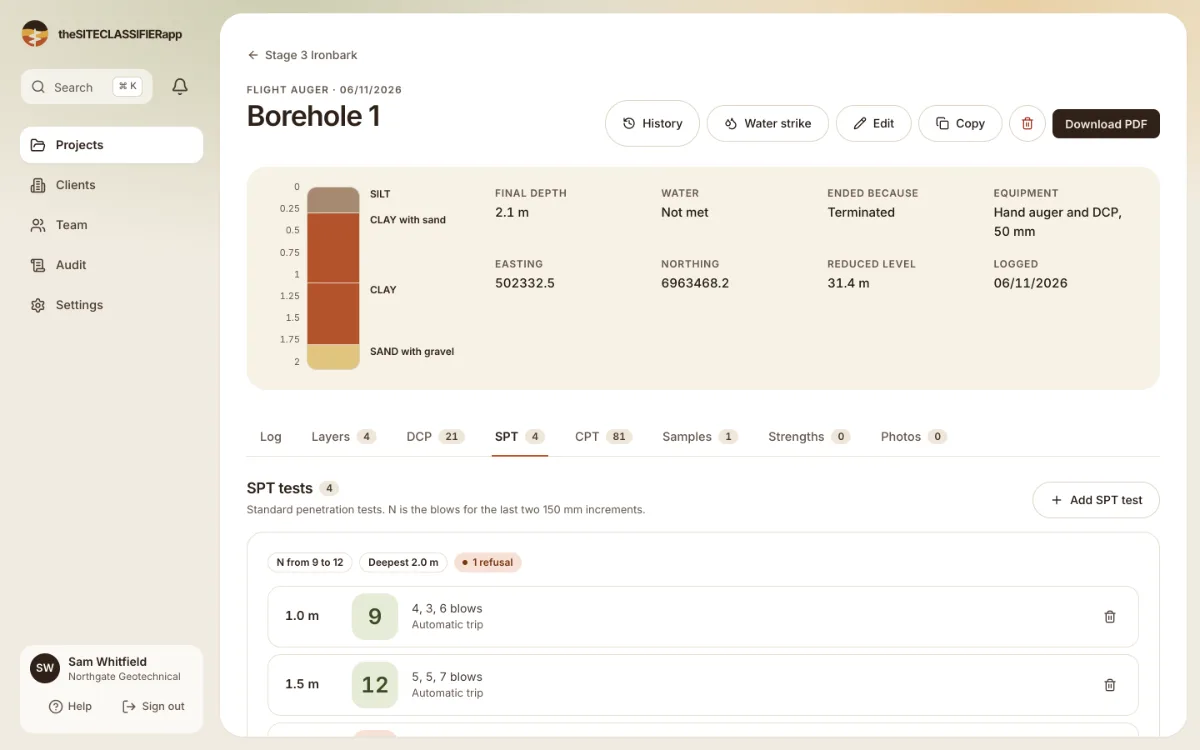
Open the borehole and choose the SPT tab. It says: "Standard penetration tests. N is the blows for the last two 150 mm increments."
- Press the add button.
- Record the blows of each 150 mm increment.
- Save.
The N value is worked out for you. A refusal shows as R.
CPT
Open the borehole and choose the CPT tab. It says: "Cone penetration test. One per borehole."
- Add the test details first.
- Import the readings from the CSV file of the cone rig.
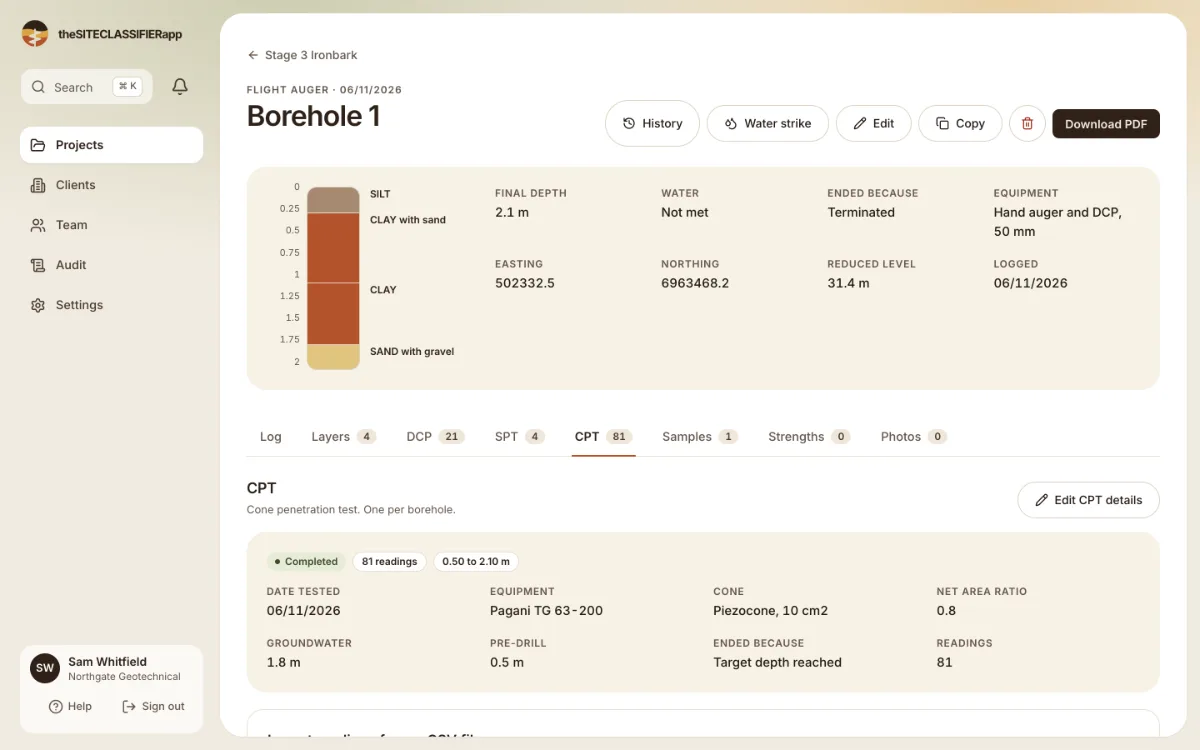
The import takes up to 5,000 readings and 2 MB for each file. Readings at the same depth are replaced. The same file twice changes nothing. The tab draws a chart of the readings.
Who can add them
Drillers, engineers and admins, while the project is in Drilling. Engineers and admins can also change them in Testing and Review.
Was this helpful?
Still stuck?
Tell us what happened. We will see which article you were reading.