
Samples and labels
Print QR sample labels
Print QR labels for bags and core boxes on an A4 sheet or a roll. A scan opens the record after you sign in.
A QR label has a code on it. The code holds only a web address with a random number. It holds no name, depth, client or project. If a label is lost, it shows nothing.
Print labels
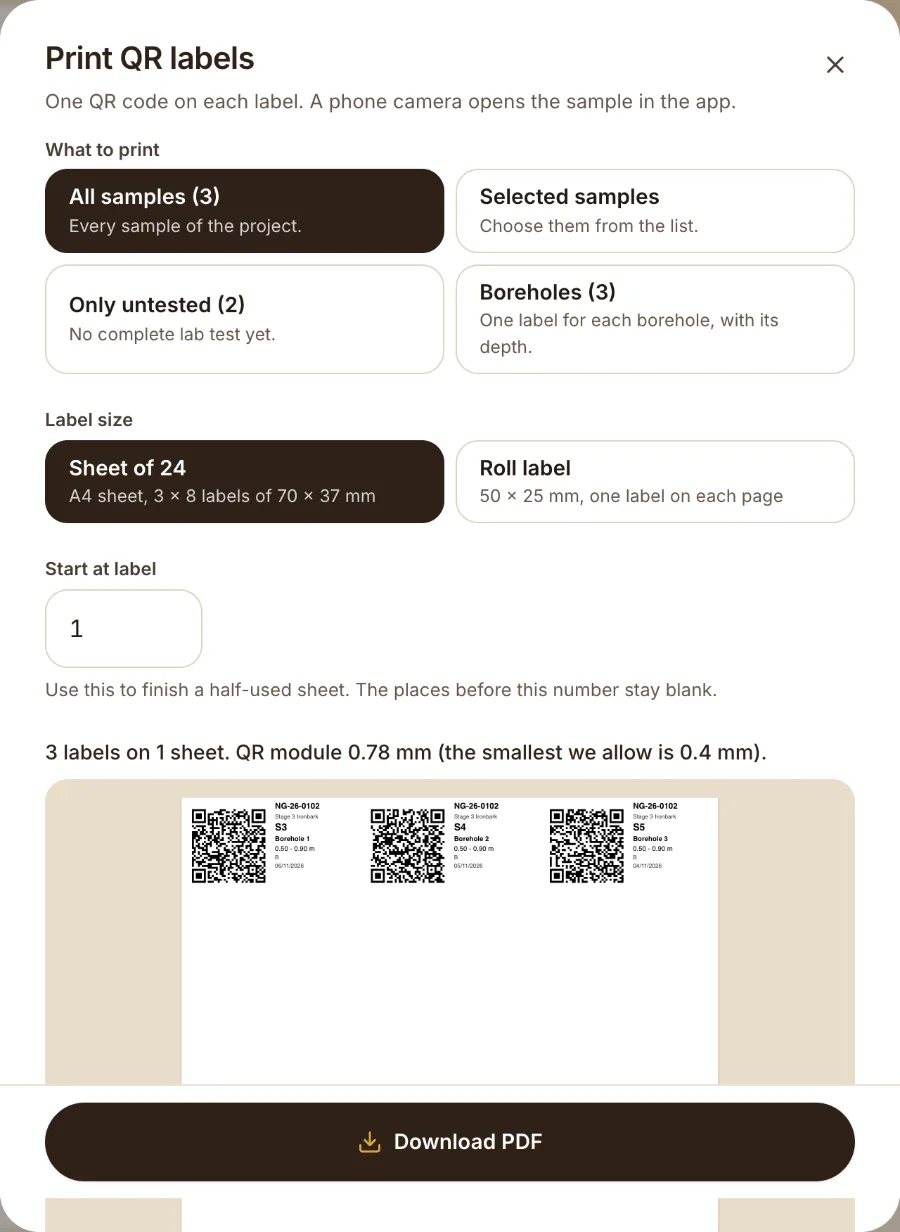
- Open the project. Choose the Samples tab and press Print labels. Or open Export and choose QR labels (PDF).
- Under What to print choose All samples, Selected samples, Only untested or Boreholes.
- Under Label size choose Sheet of 24 or Roll label 50x25 mm.
- Use Start at label to carry on a part-used sheet.
- Press Download PDF.
Drillers, testers, engineers and admins can print labels.
Scan a label
Scan the label with the camera of your phone. The web address opens in the browser. Sign in if the app asks. The app then opens that sample or borehole.
The code only works for people in your company. For anyone else it shows "not found".
Was this helpful?
Still stuck?
Tell us what happened. We will see which article you were reading.