
Projects and workflow
Create a project
A project holds one job: its client, address, boreholes, samples, photos and lab results.
You need the admin or engineer role to make a project. A driller or a tester does not see New project.
- Open Projects.
- Press New project. A form slides in. It says: "Start with the basics. Add boreholes once you are on site."
- Fill in the form.
- Press Create project.
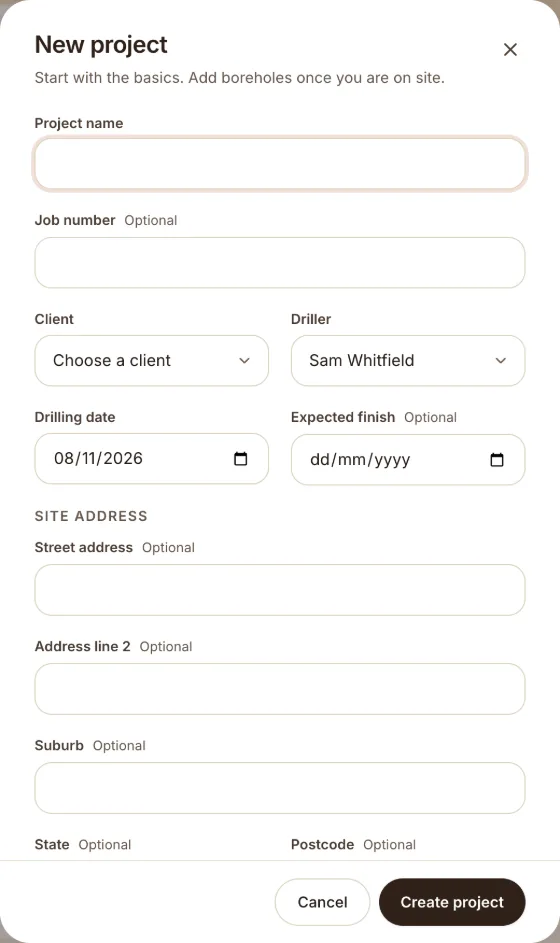
The fields
| Field | Notes |
|---|---|
| Project name | Required. |
| Job number | Optional. You can search by it later. |
| Client | Choose from your clients. Add clients on the Clients screen first. |
| Driller | Choose a person from your team. |
| Drilling date | The day you drill. |
| Expected finish | Optional. |
| Street address, Address line 2, Suburb, State, Postcode | Optional. They print on the log. |
A new project starts in the step Drilling. See The project workflow.
After you save, open the project and press Add borehole.
Was this helpful?
Still stuck?
Tell us what happened. We will see which article you were reading.