
Account and sign-in
Change your name or company name
Edit your own name and email in Settings. Admins can also change the company name.
On this page
Open Settings.
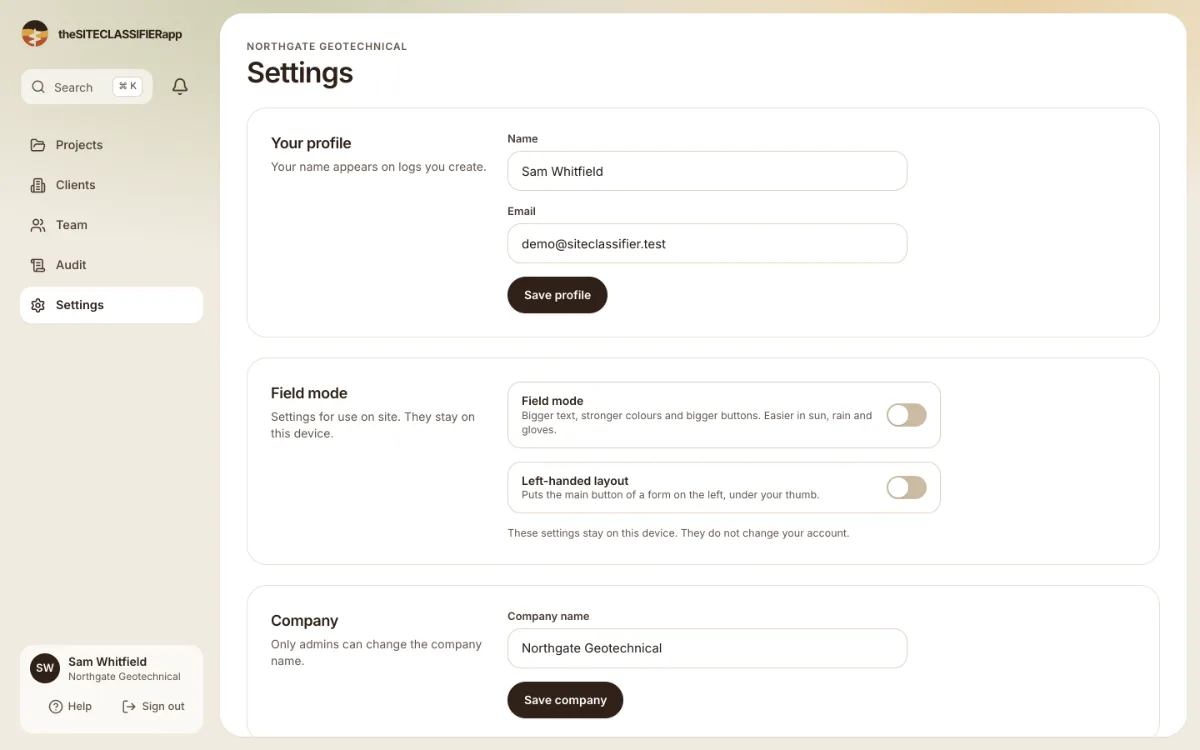
Your profile
- Name: "Your name appears on logs you create."
- Email: the address you sign in with.
Press Save profile. The app shows "Profile saved".
Field mode
Two switches that stay on this device only:
- Field mode: bigger text, stronger colours and bigger buttons. It is easier in sun, rain and gloves.
- Left-handed layout: puts the main button of a form on the left, under your thumb.
They do not change your account.
Company
Company name is the name of your company. Press Save company. The app shows "Company name saved". Only an admin can change it. Other people see: "Only an admin of this company can change its name."
For the logo, see Your company logo.
Was this helpful?
Still stuck?
Tell us what happened. We will see which article you were reading.