
PDF logs and exports
Soil report (PDF)
One PDF for the client: cover, site classification with its basis, lab reports and every borehole log. The class is the engineer's, not the app's.
The soil report is one PDF with everything an engineer sends for a site.
Watch it
What is in it
- Cover: project, client, site address, report date, the sign-off status and a contents list.
- Site classification: the site class and the basis the engineer wrote, the site information, and how many boreholes were drilled.
- Laboratory summary and one lab report for each lab test.
- Borehole logs: one page for each borehole.
Pages are numbered "Page n of N" through the whole file. Your company logo prints on the cover and on the site classification page.
Make it
- Open the project.
- Press Export, then Soil report (PDF).
- Wait for "Soil report is ready". The file is saved by your browser.
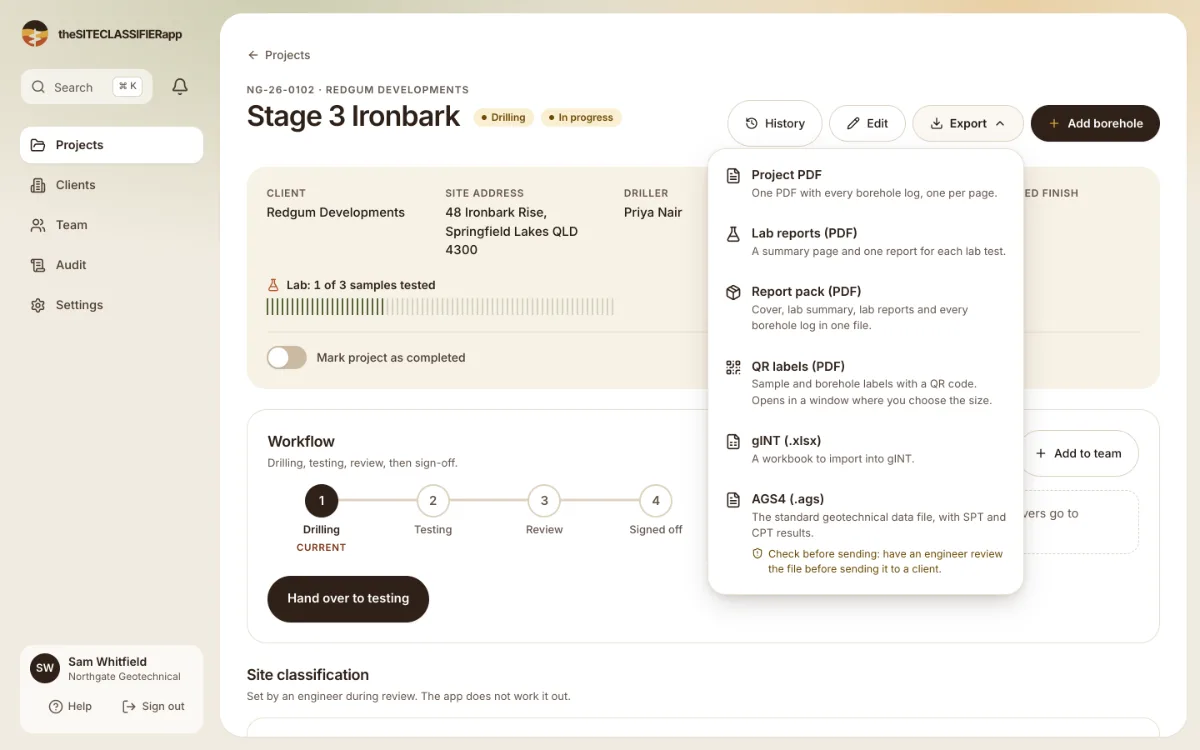
Only an engineer or admin can make the soil report. A tester can still make the lab reports.
The site class on the report
The app does not work out the class. The page prints the class and the basis exactly as the engineer saved them. See Who sets the site class.
- A class is set: the page shows "Class M" (for example) and the basis.
- No class is set: the page shows "Not classified" and the reason, if one was written. The Export menu also warns you before you make the file.
- Draft or signed off: before sign-off the footer says "DRAFT". After sign-off it shows the sign-off stamp, with the engineer's name, the date and the version.
What goes wrong
- The site information shows "-". That field was not filled in. Fill in the Site information tab and make the report again.
- No lab reports in the file. The project has no lab tests. The summary page says so. See Lab tests and lab reports.
- The file is large. A project with many boreholes makes a long file. Wait for the message that says it is ready.
- The logo is missing. If your logo cannot be used, the report is made without it.
Every report you make is recorded in the audit log as an export.
Was this helpful?
Still stuck?
Tell us what happened. We will see which article you were reading.